If you're running a Digitrax DCC system, chances are you've considered adding block occupancy detection for JMRI, signaling, dispatcher panels, or CTC operation.
One of the questions we receive most often from customers building automated layouts is:
"How do I connect the PSXX-AR to the Jack ADS for JMRI block detection?"
The good news is that the answer is remarkably simple.
If you're already using PSXX circuit breakers or PSXX-AR Auto-Reversers, your reverse loops already know when a train is present. The Occupied Output built into every PSXX-AR provides exactly the information needed by the Jack ADS to report block occupancy over LocoNet.
With only a few wiring connections and one programming change, you'll have your reverse loops reporting occupancy directly to JMRI, dispatcher panels, signal systems, and other LocoNet-compatible software.
Full Jack ADS Manual
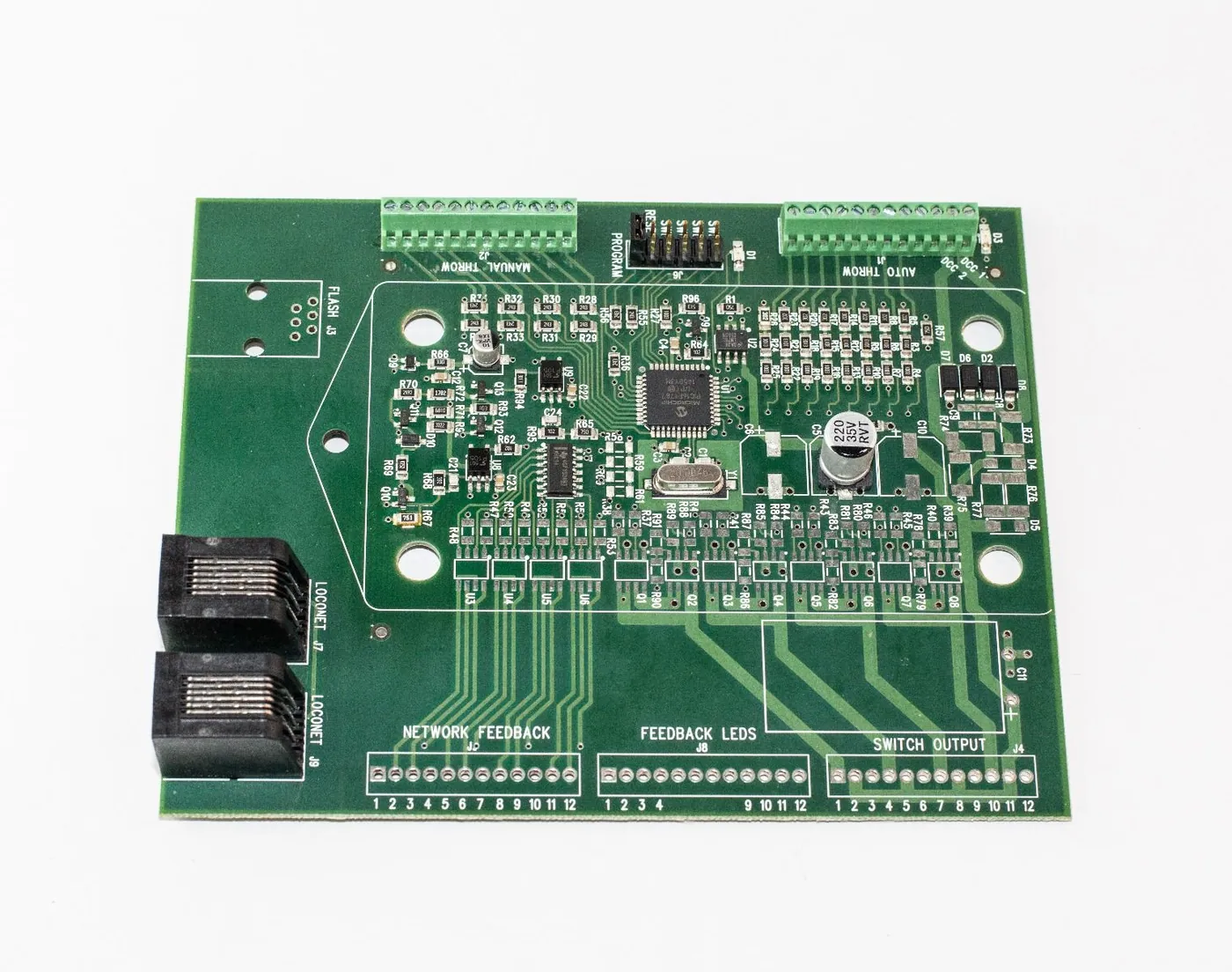
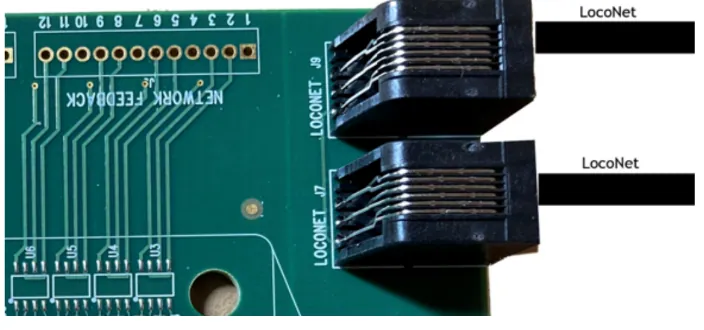 Jack ADS Loconet Connection
Why Use the Jack ADS?
The Jack ADS (Absolute Discrete Sensor) was designed to bridge existing layout electronics with computer automation.
Instead of replacing your existing circuit protection or reverse loop controllers, it simply listens for status changes and broadcasts them over LocoNet.
That makes it the perfect companion for:
- PSXX Circuit Breakers
- PSXX-AR Auto-Reversers
- DCC Specialties Block Watcher
- Relay contacts
- Microswitches
- Block detectors
- JMRI
- Dispatcher Panels
- Signal Systems
If your layout already uses PSXX products, you're already halfway there.
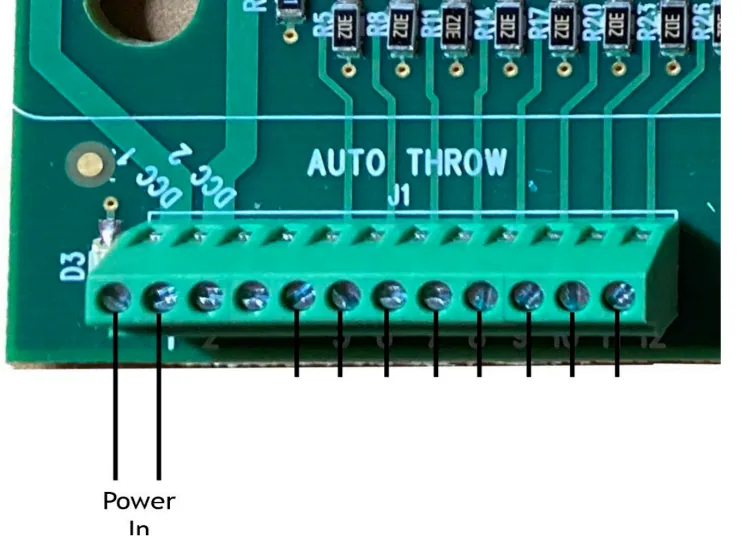 DCC Track Power for the Jack ADS
How the PSXX-AR Occupied Output Works
Every PSXX-AR continuously monitors current flowing through its protected reverse loop.
When a locomotive or lighted passenger car enters the reverse loop and begins drawing current, the Occupied Output changes state.
The Jack ADS monitors this output and immediately sends a LocoNet Sensor Status message to your Digitrax system.
JMRI instantly knows the block is occupied.
When the train leaves the reverse loop, another message is transmitted, clearing the block automatically.
No additional block detector is required.
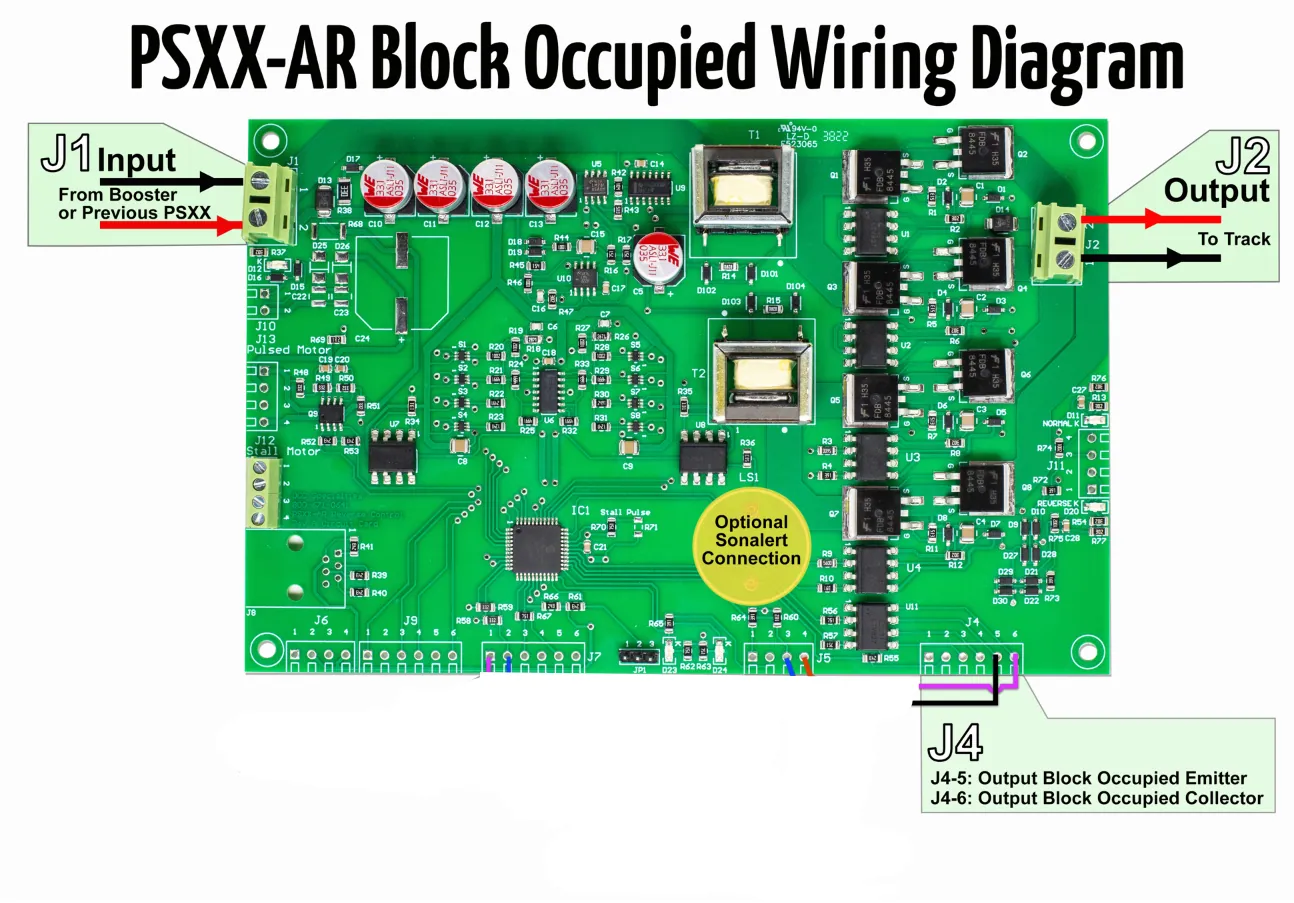
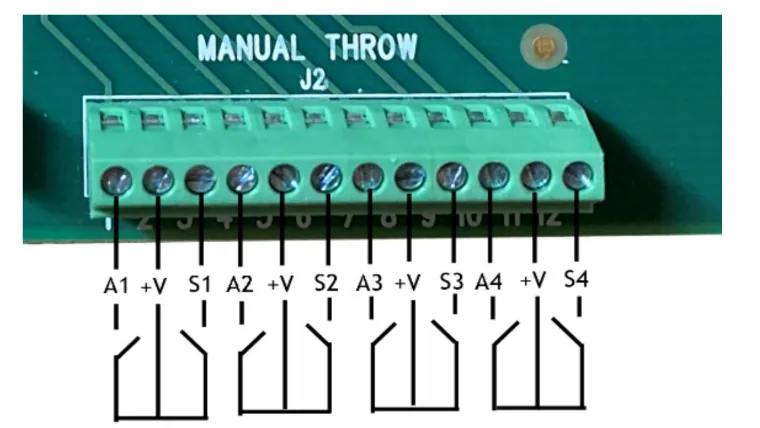 Jack ADS J2 Sensor Inputs From PSXX-AR J4-5 & J4-6 Output Block Occupied
Wiring the Jack ADS
There is no polarity issue when connecting the PSXX-AR Occupied Output to the Jack ADS.
Simply wire the terminals as shown below.
Reverse Loop #1
| PSXX-AR | Jack ADS |
|---|---|
| J4-5 (Occupied Output) | J2-1 (Sensor 1) |
| J4-6 (Common) | J2-2 (Common) |
Reverse Loop #2
| PSXX-AR | Jack ADS |
|---|---|
| J4-5 (Occupied Output) | J2-3 (Sensor 2) |
| J4-6 (Common) | J2-2 (Common) |
The exact same wiring method applies if you're monitoring standard PSXX Circuit Breakers instead of PSXX-ARs.
Expanding Beyond Two Blocks
The Jack ADS supports up to eight independent sensor inputs.
Each pair of sensor inputs shares a common terminal.
| Sensor Inputs | Common Terminal |
|---|---|
| Inputs 1 & 2 | J2-2 |
| Inputs 3 & 4 | J2-5 |
| Inputs 5 & 6 | J2-8 |
| Inputs 7 & 8 | J2-11 |
This makes expanding your occupancy detection as simple as adding two wires from each additional PSXX or PSXX-AR.
Simple Wiring Diagram
DIGITRAX EVOLUTION EXPRESS DCC BOOSTER │ │ DCC TRACK BUS ┌────────────────────────┴────────────────────────┐ │ │ ┌──────▼──────┐ ┌──────▼──────┐ │ PSXX │ │ PSXX │ │Circuit Break│ │Circuit Break│ └──────┬──────┘ └──────┬──────┘ │ │ ┌──────▼──────┐ ┌──────▼──────┐ │ PSXX-AR │ │ PSXX-AR │ │ Reverse Loop│ │ Reverse Loop│ └──────┬──────┘ └──────┬──────┘ │ │ ▼ ▼ OCCUPIED OUTPUT CONNECTIONSPSXX-AR #1 Jack ADS (J2)
─────────── ─────────────
J4-5 (Occupied Out) ───────────────► J2-1 (Sensor 1)
J4-6 (Common) ───────────────► J2-2 (Common)
PSXX-AR #2
───────────
J4-5 (Occupied Out) ───────────────► J2-3 (Sensor 2)
J4-6 (Common) ───────────────► J2-2 (Common)
No additional programming is necessary.
Verifying Everything Works
After wiring is complete:
Place a locomotive inside the reverse loop.
The Jack ADS immediately transmits a Sensor Status message over LocoNet.
JMRI displays the block as Occupied.
Remove the locomotive.
JMRI changes the block back to Clear.
If you're using a Digitrax Evolution Express, you'll also notice the LocoNet LED briefly flicker each time a train enters or leaves the block. That quick flash confirms the Jack ADS is transmitting occupancy information.
Why We Like This Method
Many modelers assume they need to purchase dedicated block detectors for every reverse loop.
In reality, if you're already using a PSXX-AR, you've already paid for the occupancy detection. The information is sitting there waiting to be used.
Adding a Jack ADS unlocks that information for JMRI, signaling, dispatcher panels, and layout automation with just a few wires and a single CV change.
It's one of the simplest—and most cost-effective—ways to begin automating your railroad.
The Jack ADS isn't limited to reverse loops. Any PSXX Circuit Breaker or PSXX-AR Auto-Reverser with an Occupied Output can be connected the same way, allowing you to monitor multiple power districts throughout your layout without adding separate block detectors. As your railroad grows, simply add more occupancy districts and connect them to the remaining Jack ADS inputs to build a complete occupancy detection system.