Mystery Solved: Why the Headlights Don't Work Normally
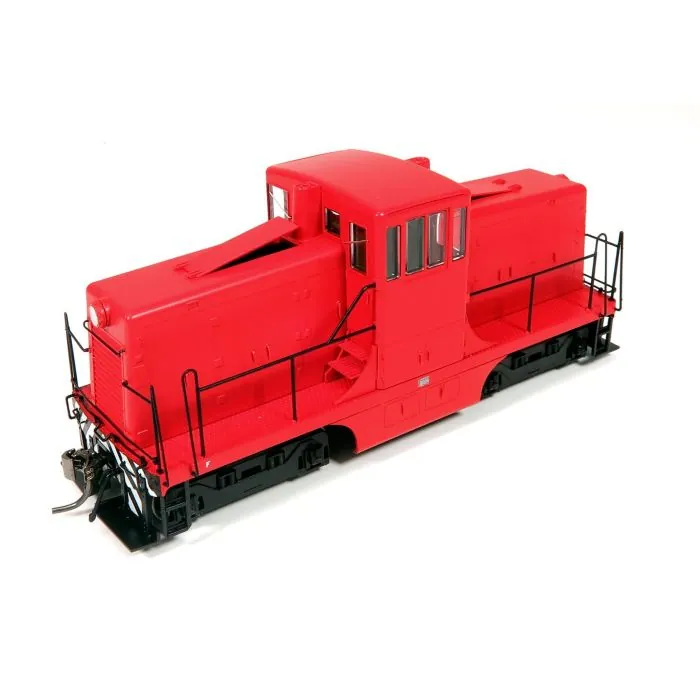
We've recently had several customers install the SoundTraxx TSU-N18 (885027) and ESU Loksound Next18 decoders in the Rapido HO Scale GE 44-Tonner and discover that the headlights do not operate as expected.
After some investigation, we found that the issue is not with the decoders at all.
The Rapido 44-Tonner's lighting is configured differently than most DCC-ready locomotives. Instead of using only the standard F0 headlight output, part of the headlight circuit is controlled through AUX3.
As a result, both the standard headlight output (F0) and AUX3 must be active for the headlights to illuminate.
What Happens with Different Decoder Brands?
ESU LokSound
On most ESU decoders, AUX3 is mapped to F5 by default.
This means:
- Press F0 = headlights still off
- Press F5 = headlights still off
- Press F0 and F5 together = headlights turn on
- Many installers accidentally discover this behavior while testing functions.
SoundTraxx Tsunami2 TSU-N18 (885027)
On Tsunami2 decoders, AUX3 is mapped to F24 by default.
This means:
- F0 controls the normal headlight output
- F24 controls AUX3
- Both F0 and F24 must be active for the headlights to illuminate
- Since most throttles don't make F24 convenient to access, the best solution is to remap AUX3 to operate automatically with F0.
Recommended SoundTraxx Tsunami2 Fix
- Remap AUX3 so it responds to F0 instead of F24.
- Once AUX3 is mapped to F0:
- Press F0
- Front and rear headlights operate normally
- No need to access F24
- Operation becomes identical to a typical DCC installation
Is This a Rapido Design Issue?
We cannot say with certainty whether this was an engineering decision or a production oversight, but the behavior so far appears to be specific to the Rapido GE 44-Tonner lighting board.
The decoder is functioning correctly. The unusual lighting arrangement inside the locomotive is what creates the confusion.
Bottom Line
If you install a SoundTraxx TSU-N18 (885027) in a Rapido HO Scale GE 44-Tonner and the headlights don't work:
- Verify that F0 is on.
- Turn on AUX3's assigned function (F24 by default on Tsunami2).
- If the headlights illuminate, the decoder is working properly.
- Remap AUX3 to F0 for normal operation.
- Once AUX3 and F0 are linked together, the headlights behave exactly as most modelers expect.
Technical Note for Tsunami2 Programming
The exact CVs used to map AUX3 to F0 depend on whether you're using Flex-Map directly or programming through JMRI DecoderPro. SoundTraxx uses Flex-Map function mapping (CVs 257-512) rather than simple CV33-46 mapping for outputs such as AUX3. (SoundTraxx)
Program the following CVs on the main or programming track so the Rapido 44-tonner headlights come on with the normal headlight button
CV 31 = 16
CV 32 = 1
CV 259 = 0
That maps FX3 / AUX3 from F24 to F0 on a Tsunami2. SoundTraxx lists FX3/AUX3 as CV 1.259, defaulted to F24, and the Flex-Map value 0 = F0.